
Korg microKEY2 Air 25vsKorg nanoKEY Studio
Summary
Korg microKEY2 Air 25 and Korg nanoKEY Studio: 2 Korg controller keyboards compared side by side. They differ on 7 of 20 compared specifications.
| 2 items | Korg microKEY2 Air 25CurrentView details → | Korg nanoKEY StudioCurrentView details → |
|---|---|---|
| General | ||
| Manufacturer | Korg | Korg |
| Status | Current | Current |
| Released | 2016 | 2016 |
| Keyboard | ||
| Keys | 25 | 25 |
| Key size | Mini | Mini |
| Key action | Synth-action | Synth-action |
| Aftertouch | None | None |
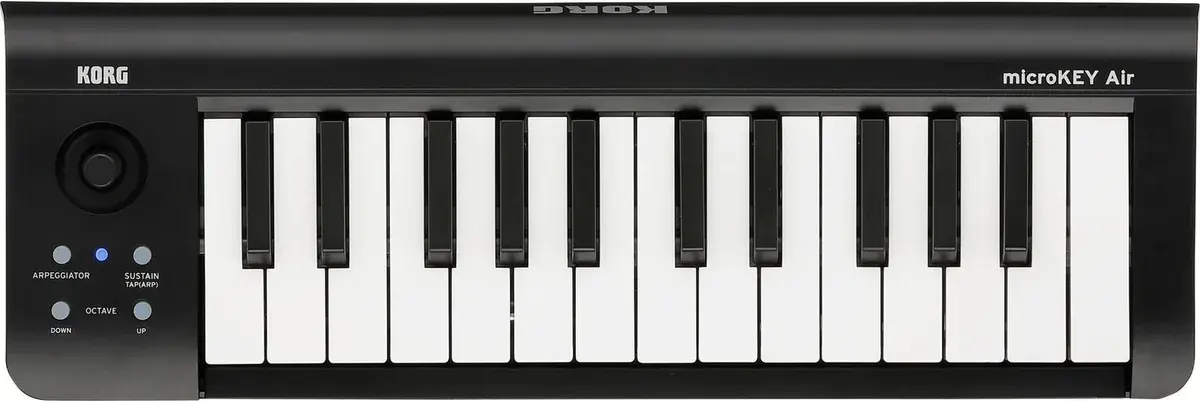
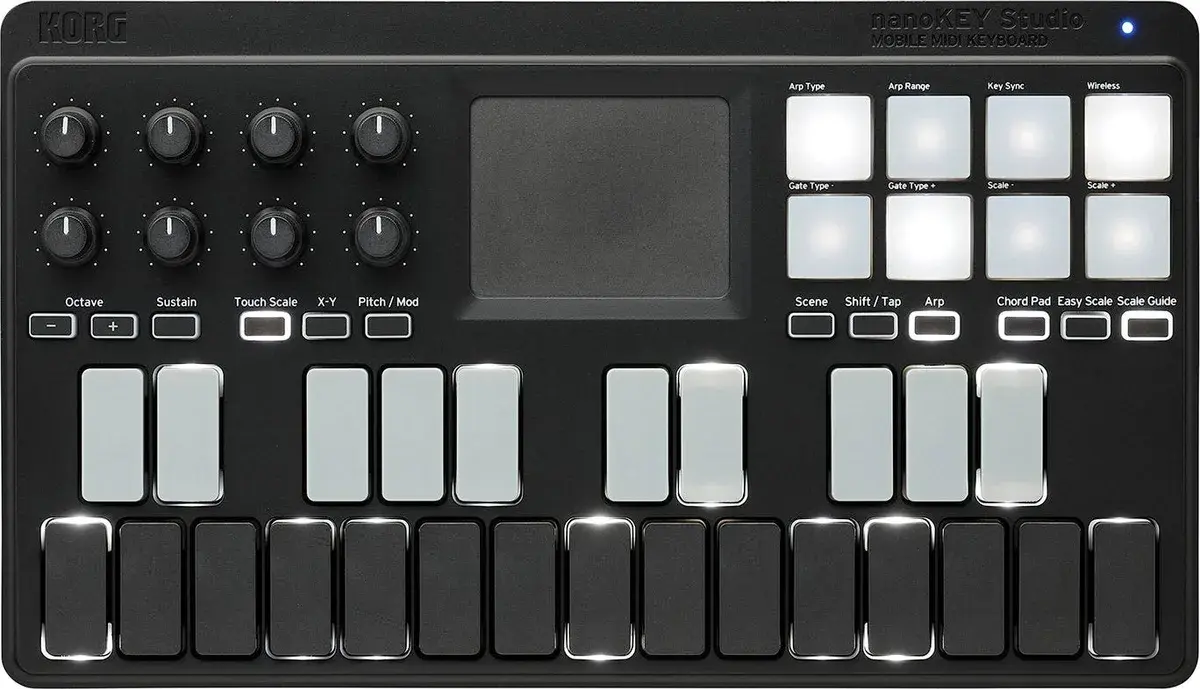
| Keybed | Korg Natural Touch mini keys | Korg button-style keys |
| Controls | ||
| Pads | 0 | 8 |
| Faders | 0 | 0 |
| Knobs / encoders | 0 | 8 |
| Display | None | None |
| Pitch / mod | Joystick | Buttons |
| Connectivity | ||
| USB | Micro-USB | Micro-USB |
| CV / Gate out | No | No |
| Bluetooth MIDI | Yes | Yes |
| USB bus powered | Yes | Yes |
| Features & software | ||
| Features | Battery powered | Arpeggiator, Chord mode, Scale mode, Battery powered |
| Bundled software | Korg Software Bundle (Gadget 2 LE, M1 Le, Ableton Live Lite and more) | Korg Software Bundle (Gadget 2 LE, M1 Le, Ableton Live Lite and more) |
| Size & weight | ||
| Colours | Black | Black |
| Dimensions (W × D × H) | 395 × 131 × 52 mm | 278 × 160 × 33 mm |
| Weight | 0.67 kg | 0.47 kg |
Key differences
- Pads: microKEY2 Air 25 – 0 nanoKEY Studio – 8
- Keybed: microKEY2 Air 25 – Korg Natural Touch mini keys nanoKEY Studio – Korg button-style keys
- Knobs / encoders: microKEY2 Air 25 – 0 nanoKEY Studio – 8
- Pitch / mod: microKEY2 Air 25 – Joystick nanoKEY Studio – Buttons
- Dimensions (W × D × H): microKEY2 Air 25 – 395 × 131 × 52 mm nanoKEY Studio – 278 × 160 × 33 mm
- Weight: microKEY2 Air 25 – 0.67 kg nanoKEY Studio – 0.47 kg
Both are the same on keys (25), key action (Synth-action) and aftertouch (None).